BlockerX: Content Blocker
- 4.4
- Rating
- 5.00M
- Installs
- Free
- Price

 Analysis by App-foxy
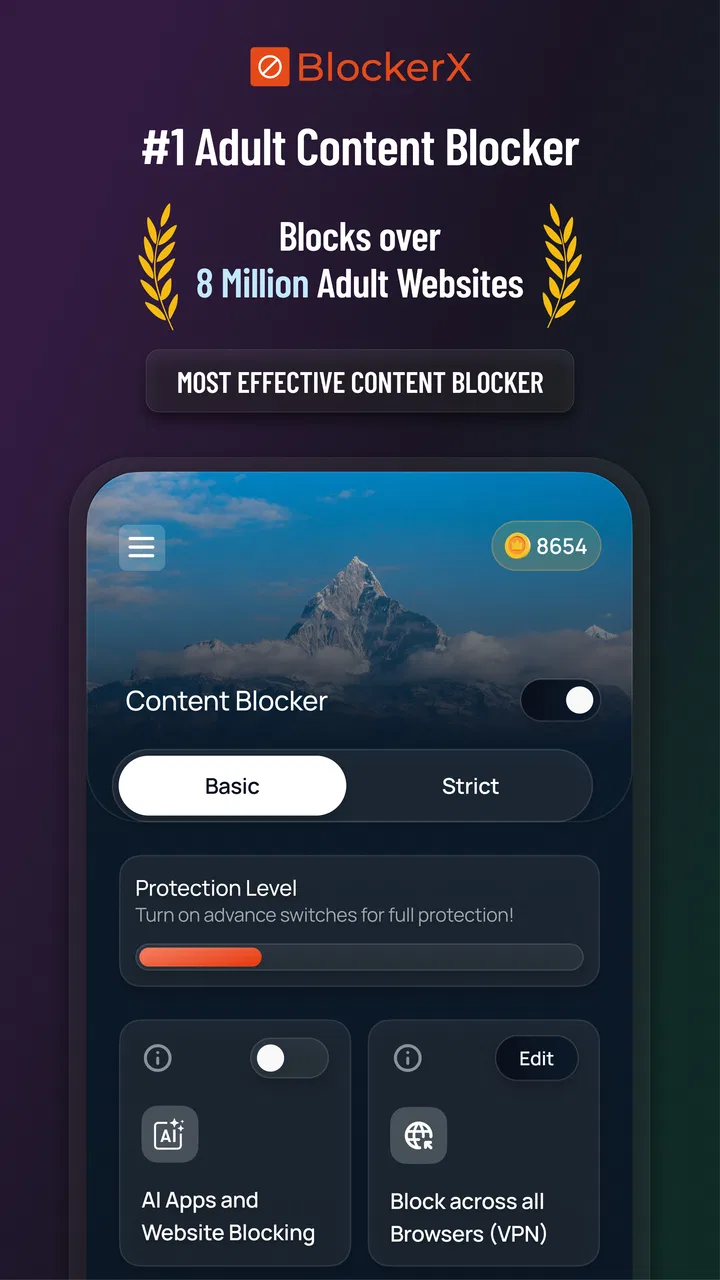
When I try a focus app, I want more than a dramatic promise to “be productive.” I want to know what I can actually control, how much effort setup requires, and whether the tool helps me make a deliberate choice instead of simply getting in my way. BlockerX: Content Blocker takes a direct approach: it is a productivity app from Atmana Tech designed to help block apps, websites, NSFW material, and other unwanted content. I found it most useful as a practical barrier between an impulse and the action that usually follows it.
That distinction matters. This is not a planner, habit journal, or meditation guide. It does not try to organize my day from start to finish. Its job is narrower and, in some situations, more valuable: reduce access to distractions when I already know what I want to avoid. The app is free to install, has a Teen content rating, and supports devices running Android 6.0 or later. Optional purchases range from $0.49 to $449.99 per item, so I would pay attention to the purchase screen before committing to anything beyond the free experience.
What using BlockerX feels like in everyday life
The clearest way to understand this app is through a realistic routine. Imagine I am working from home and need to finish a report before lunch. I do not necessarily need another task manager; I already know the report is important. My problem is the automatic habit of opening a distracting site or switching to an app whenever a paragraph becomes difficult. A blocker can interrupt that reflex before it turns into twenty minutes of avoidance.
You May Also Like

 Blood Strike: 2.5 Anniversary
Blood Strike’s Loadouts Turn Every Drop Into a Tactical Gamble
A close look at Blood Strike’s custom loadouts: how fast access to signature weapons reshapes its battle royale rhythm, rewards preparation, and narrows the gap between fights.

 Pandora - Music & Podcasts
Pandora’s Music Is Easy to Start, but Harder to Recover
Pandora’s strength is its low-effort path from a seed to a station. Its weak spot is how much confidence it asks you to place in connection, setup, and quiet recovery.

 8 Ball Pool
 Is Built on Rivalries, Rematches, and Routine
A close look at the rivalries, rematches, shared routines, and unanswered safety questions that turn a quick pool match into a persistent mobile community.

 Samsung Music
’s Quiet Strength Is Playing What You Already Own
Its reach comes less from spectacle than from dependable access to a personal library. That simplicity is both the app’s strongest retention engine and its ceiling.

 AccuWeather: Weather Radar
AccuWeather Review: A Quick, Clear Forecast for Everyday Decisions
For everyday plans, the best forecast is the one you can understand quickly. AccuWeather makes rain timing, radar, and local conditions easy to act on, with a few trade-offs.

 Hill Climb Racing
Why Hill Climb Racing Still Turns Crashes Into One More Run
A tiny car, a bumpy hill and one more upgrade: Hill Climb Racing keeps resurfacing because its simple chaos makes every near-miss feel personal.
More From Our News Desk



In that situation, I would begin with a short list rather than trying to block half of the internet. I would choose the sites or apps that repeatedly pull me away from work, then test the setup during a low-risk period. This is one of my strongest recommendations: start with a focused blocklist and adjust it after real use. An over-aggressive setup can create frustration, especially if it affects something needed for communication, research, or account access.
The same approach can help with evening routines. Someone trying to reduce exposure to adult material or unwanted content may prefer a firm interruption over relying on willpower at a tired moment. BlockerX is particularly relevant here because its purpose covers more than ordinary social-media distraction. It is aimed at people who want help changing a content-consumption pattern, not just people who want a cleaner work session.
Still, I would not describe it as a complete solution for compulsive behavior. Blocking can create useful distance, but it does not address stress, loneliness, boredom, or the reason a habit became persistent. I see the app as one layer in a broader plan. A person dealing with serious distress may need support from a qualified professional or trusted person as well, rather than treating a phone setting as the whole answer.
A useful distinction between blocking and self-management
Many productivity tools ask me to decide what to do next. BlockerX asks me to decide what should not be available for a while. That makes it closer to a digital boundary tool than a conventional productivity suite. The benefit is clarity: I can focus on specific sources of temptation instead of filling out schedules, goals, and progress dashboards.
The trade-off is that the app depends on thoughtful configuration. If I block too little, the distraction simply moves elsewhere. If I block too much, I may spend more time managing exceptions than doing the work. The best results come when I identify the trigger, choose a reasonable boundary, and pair it with a replacement action such as a walk, a short offline task, or a timed work interval.
Controls that deserve careful testing
The central value of this app is its control over unwanted access, but control is only useful when I understand what it affects. Before relying on a block during an important deadline, I would test the exact apps and websites I need to restrict. I would also check whether normal browsing, messaging, authentication, or work tools remain usable. This is not a criticism unique to BlockerX; any blocker can become inconvenient when the user creates a rule without considering connected services.
A practical method is to create a trial block during a period when I can safely undo or revise it. I would open the target app, visit the relevant site, and confirm that the result matches my intention. Then I would try a normal task that must remain available. This small test is more useful than assuming a category label will perfectly match my personal routine.
I also recommend separating “always unwanted” material from “sometimes distracting” material. The first group may justify a stronger, longer-lasting boundary. The second may be better handled with a time-limited focus period. That distinction prevents one impulsive decision from making the phone unnecessarily difficult to use for the rest of the day.
Another non-obvious point is that a blocklist should be reviewed after a few days, not expanded every time I encounter a new distraction. If I keep adding individual domains or apps without asking what pattern connects them, the system can become reactive. A better workflow is to notice whether the real trigger is a particular time, mood, or type of content. The app can reduce access, while I use that observation to improve the routine around it.
Handling sensitive content responsibly
Because the app is explicitly associated with NSFW and unwanted content, trust matters more here than it would with a simple timer. I would want to make each choice consciously: what is being blocked, for how long, and what happens if I need legitimate access later. The visible controls should be treated as decisions with consequences, not as buttons to press quickly while frustrated.
I am also careful about privacy expectations. A blocker may need special device access to restrict apps or browsing, but I do not assume what permissions are requested or how information is handled without checking the app’s current permission screens and privacy documentation myself. That is the responsible way to evaluate a tool that sits close to browsing behavior and personal habits. Users should read each permission prompt, avoid granting access that is unrelated to the intended function, and revisit device settings if the app is no longer needed.
The same caution applies to accounts and purchases. If BlockerX offers account-based controls or optional upgrades during setup, I would look for the available sign-in, recovery, cancellation, and deletion choices before relying on it for a long-term routine. I would not create an account casually just to test a basic block. I would also review the purchase details carefully, particularly because the available in-app purchase range is broad.
These checks do not make the app less useful. They make the relationship with it more deliberate. A tool that influences access to personal content should leave me feeling that I understand my choices, rather than wondering what is active in the background.
Where the app has an advantage over ordinary alternatives
The usual alternatives fall into a few groups. Operating-system screen-time tools are convenient because they are already integrated into the phone and can be good for simple limits. Browser extensions are often precise for web-only distractions. Website DNS or network-level filters can cover several devices, but they may be more technical to configure. A paper schedule or a basic timer avoids permission concerns, yet it cannot stop an impulsive tap.
BlockerX sits between those options. Its appeal is the combination of app, site, and unwanted-content blocking in one productivity-focused product. That is more relevant to someone whose problem crosses boundaries: a distracting mobile app during work, a website during study, and sensitive content during a vulnerable part of the day. I would choose it over a basic timer when the issue is access rather than awareness.
On the other hand, I would choose a built-in device limit when I only need a lightweight daily allowance and do not want another service to configure. I would choose a browser-only solution when my distraction is confined to one browser and I want the narrowest possible intervention. For a household with several devices, a network-level approach may be more suitable than managing one phone at a time. The right choice depends on the boundary I actually need.
Who should use it, and who should skip it
I think BlockerX is a good fit for students, remote workers, and anyone who has already identified a repeated content habit but struggles at the moment of temptation. It can also suit people who want a more intentional barrier around adult material or other content they personally consider harmful. The app’s large user base suggests that this problem is common: it has over five million installs, with a 4.4 average from around 308 thousand ratings.
Those figures tell me the concept has broad appeal, but they do not guarantee that every setup will feel smooth on every phone. Android versions, device settings, browser behavior, and personal expectations can all affect the experience. I would judge it by a short practical trial rather than by popularity alone.
I would skip it if I only want a simple countdown timer, a calendar, or a distraction-free writing space. I would also hesitate if I am unwilling to review permissions and settings carefully. A blocker is not “set and forget” software when the blocked material is sensitive or when the phone is used for both work and personal tasks.
It may also be the wrong tool for someone who expects a blocker to remove every possibility of bypassing a habit without any personal participation. No digital barrier should be treated as absolute. If I can easily change the settings whenever an urge appears, the app may provide less protection than I hoped. In that case, involving a trusted person, changing the physical environment, or using a more restrictive device-level arrangement may be more effective.
Small workflows that make the boundary more realistic
My preferred workflow would be to plan blocks before the difficult moment arrives. For example, I might set a work boundary before opening my laptop, prepare the documents I need, and keep a written note of the task I will do when the urge to browse appears. The blocker handles access; the note handles the empty space that distraction would otherwise fill.
For evening use, I would avoid making the rule so broad that it blocks harmless relaxation. Instead, I would identify the content category or destination that causes the problem and leave ordinary entertainment available if that is consistent with my goal. This keeps the boundary credible. If every leisure activity feels punished, I am more likely to abandon the whole system.
A third workflow is useful for shared or borrowed phones. Before enabling a strong rule, I would check whether another person needs access to the same device for school, work, travel, or communication. A personal focus goal should not accidentally interfere with someone else’s essential use. If the phone is shared, a separate device or a narrower rule may be the fairer solution.
I would also keep a short record of failed attempts. Not a detailed diary—just the time, trigger, and what I tried to open. That can reveal whether the blocklist is aimed at the real problem. If the same impulse keeps moving from one app to another, the answer may be a broader routine change rather than another individual entry.
Version, support expectations, and day-to-day friction
The current version is 5.0.81, and the app was released on June 10, 2019. That history gives it time to mature, but it also means I would keep expectations practical: updates can change layouts, permissions, compatibility, or the way a particular blocking rule behaves. After an update, I would briefly recheck the rules that matter most instead of assuming an old setup remains identical.
Device compatibility begins with Android 6.0 or newer. That covers a wide range of phones, but compatibility alone does not tell me how a manufacturer’s battery management or background restrictions may affect a blocking tool. If the app behaves inconsistently, I would inspect the phone’s battery and background settings before concluding that the concept itself is ineffective.
The free price makes trying it relatively accessible, while the in-app purchase range means I would avoid rushing through upgrade screens. I prefer to use the basic controls first, decide whether they solve my actual problem, and only then consider paying for additional options. The most expensive purchase listed is $449.99 per item, so careful attention at checkout is essential.
At a Teen content rating, the app is not something I would hand to a younger child without an adult reviewing the purpose, settings, and account choices. A content blocker can be useful in a family context, but it should not replace an honest conversation about online safety and boundaries. The user should understand what is being restricted and why.
My cautious verdict
After looking at BlockerX as a real tool rather than a slogan, I see a focused app with a clear use case. It is strongest when I already know which apps, websites, or content patterns are undermining my goals and I want a practical interruption at the point of access. It is less suitable when I need planning, emotional support, multi-device administration, or a completely hands-off solution.
My recommendation is to treat BlockerX as a deliberate boundary, not a substitute for judgment. Start narrowly, test the rules, read permission and purchase screens, and keep an alternative activity ready for the moment a distraction is blocked. Those steps make the app more useful and reduce the chance that a well-intended rule becomes an everyday nuisance.
Atmana Tech’s app earns consideration because it addresses a specific problem that ordinary timers often miss: the gap between deciding to avoid something and actually reaching for it. I would recommend trying it to a friend who wants help with content-related habits or app distractions, provided that friend is comfortable reviewing controls and privacy choices personally. If that sounds like too much management for a simple focus goal, the phone’s built-in limits may be the better answer.
In short, BlockerX: Content Blocker is most convincing when used with a clear personal plan. It can make an impulsive action less automatic, give a work or evening routine some breathing room, and help turn an intention into a visible boundary. Its value depends on the quality of the choices around it, which is exactly why I would use it thoughtfully rather than enable every restriction at once.
FAQs for BlockerX: Content Blocker
01What is BlockerX: Content Blocker and what does it do?
BlockerX: Content Blocker is designed to help users reduce access to adult websites and other distracting or unwanted online content. After installation, it can filter or block selected categories across supported browsers and devices. It is mainly intended as a digital-wellbeing and self-control tool, although the exact blocking behavior depends on the device, browser permissions, configuration, and subscription features available in the current version.
02How effective is BlockerX at blocking websites and online content?
BlockerX can be useful for filtering many known adult or distracting websites, but it should not be considered a perfect or unbreakable solution. Its effectiveness depends on enabling the required permissions, using compatible browsers, and keeping the app properly configured. Determined users may find ways around restrictions, while new or incorrectly categorized websites may not be blocked immediately. Regularly checking settings and using accountability features can improve results.
03Does BlockerX work on both Android and iPhone?
BlockerX is available for mobile users, but the features and level of system access can differ significantly between Android and iOS. Android generally allows more flexible blocking and monitoring options, while iPhone restrictions may depend on Apple’s content-filtering and Screen Time capabilities. Before downloading, check the current store listing for your device, supported browsers, operating-system requirements, and whether the specific features you want are available on your platform.
04Is BlockerX free to use, or does it require a subscription?
BlockerX may offer basic functionality at no cost, while advanced tools can require a paid plan or in-app subscription. Premium features may include stronger filtering, accountability options, broader device support, customization, or additional progress and habit-building tools. Pricing, trial periods, renewal terms, and available features can change, so review the purchase screen carefully before subscribing and confirm how cancellation works through Google Play or the App Store.
05What permissions and privacy considerations should users know about?
To block websites effectively, BlockerX may request permissions related to accessibility, VPN-style filtering, browser activity, notifications, or device usage, depending on the platform and selected features. These permissions are important to the app’s operation but should be reviewed carefully before approval. Read the developer’s privacy policy to understand what information is collected, how it is used, whether data is shared, and how account or subscription information is handled.
Pros
- Blocks adult websites and distracting content across supported browsers.
- Customizable keyword and website filters provide more control over blocked content.
- Focus mode helps limit distractions during study or work sessions.
- Password protection can prevent quick changes to filtering settings.
- Useful accountability features may support users working on habit control.
Cons
- Some advanced features may require a paid subscription.
- Filtering accuracy can vary between browsers
- apps
- and website types.
- VPN or accessibility permissions may raise privacy concerns for some users.
- Determined users may find ways to bypass blocking restrictions.
- Blocking can occasionally affect legitimate websites or useful search results.

BlockerX: Content Blocker
Gallery